Clean audio and on-device captions
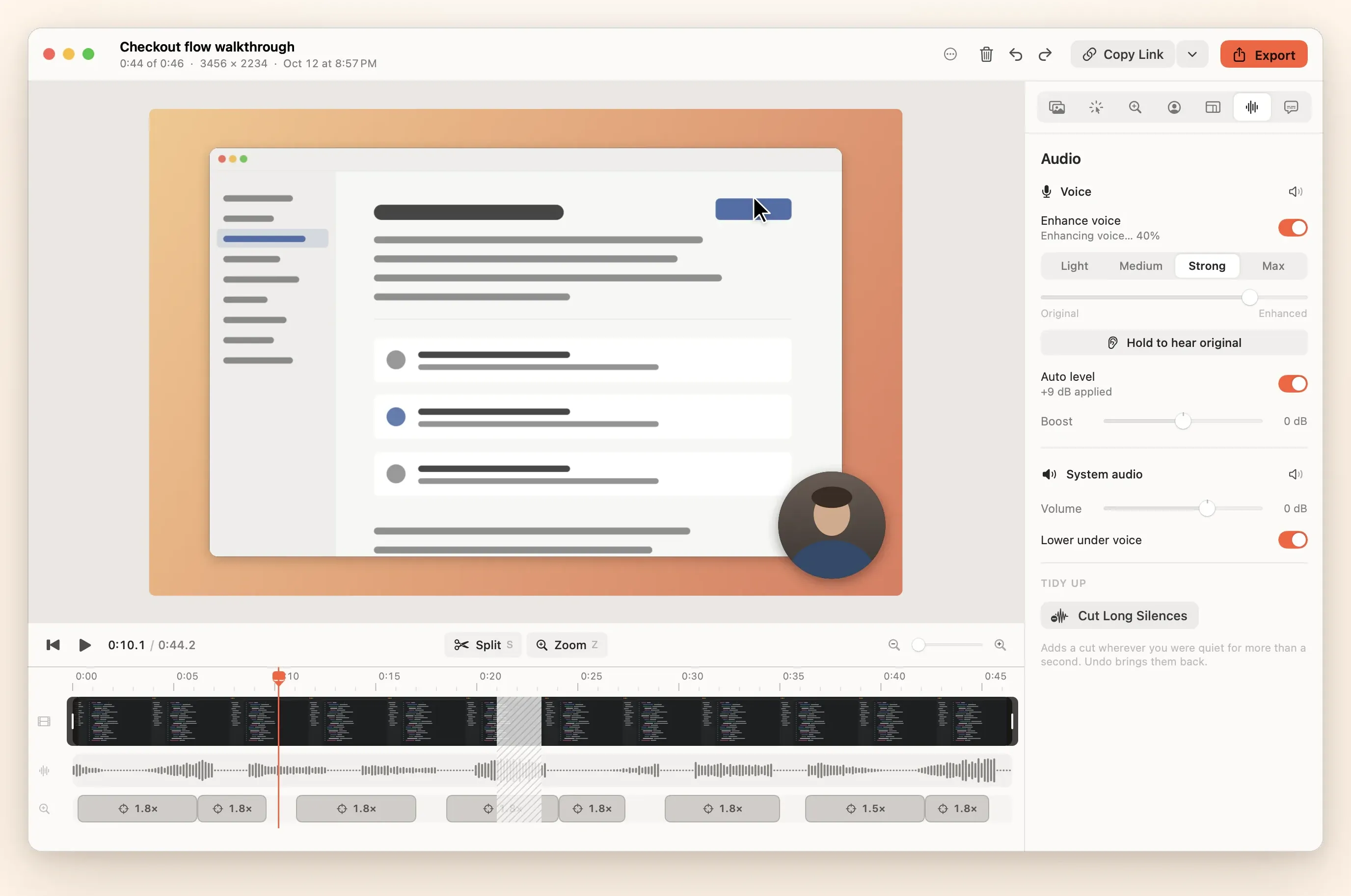
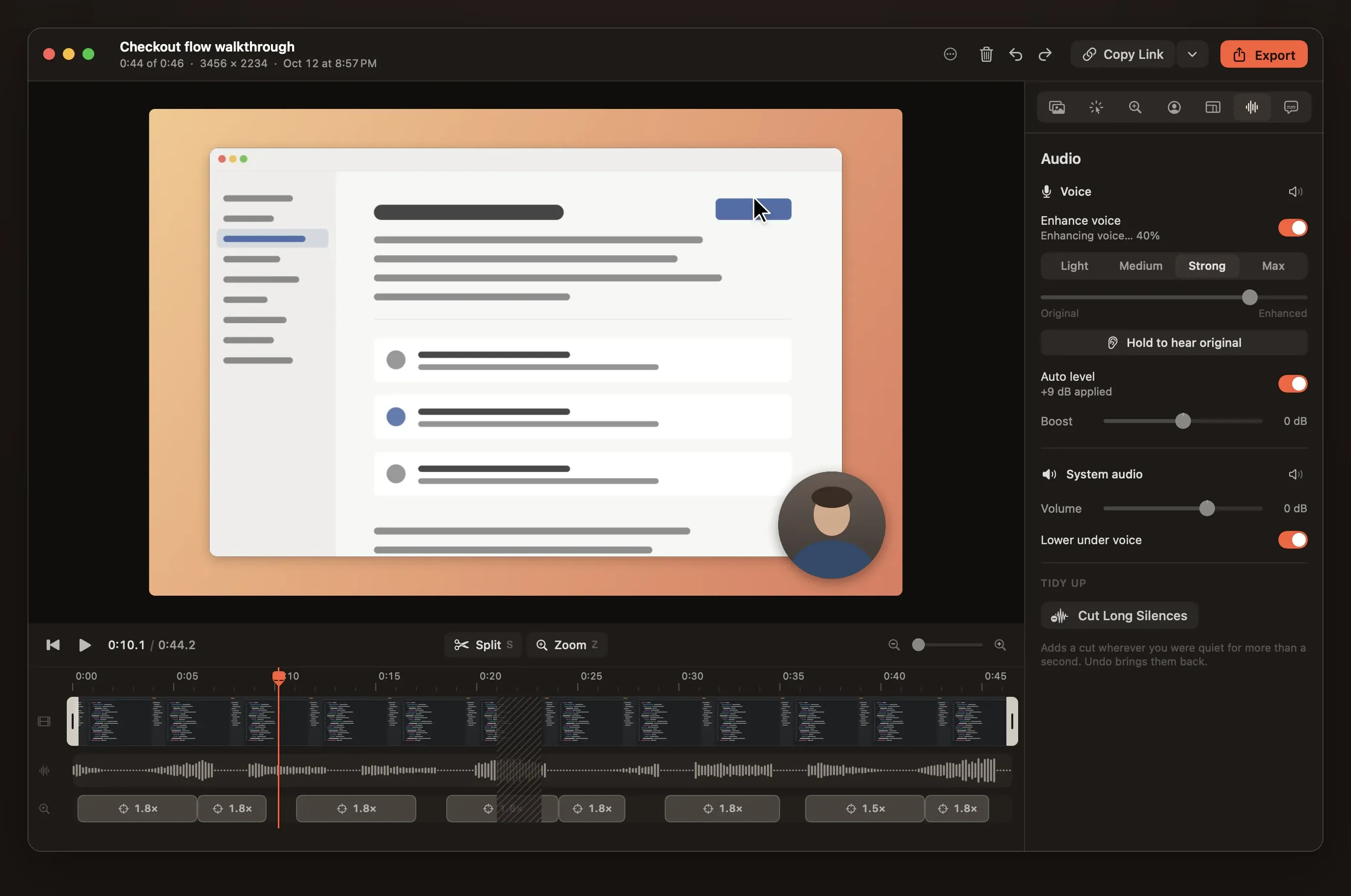
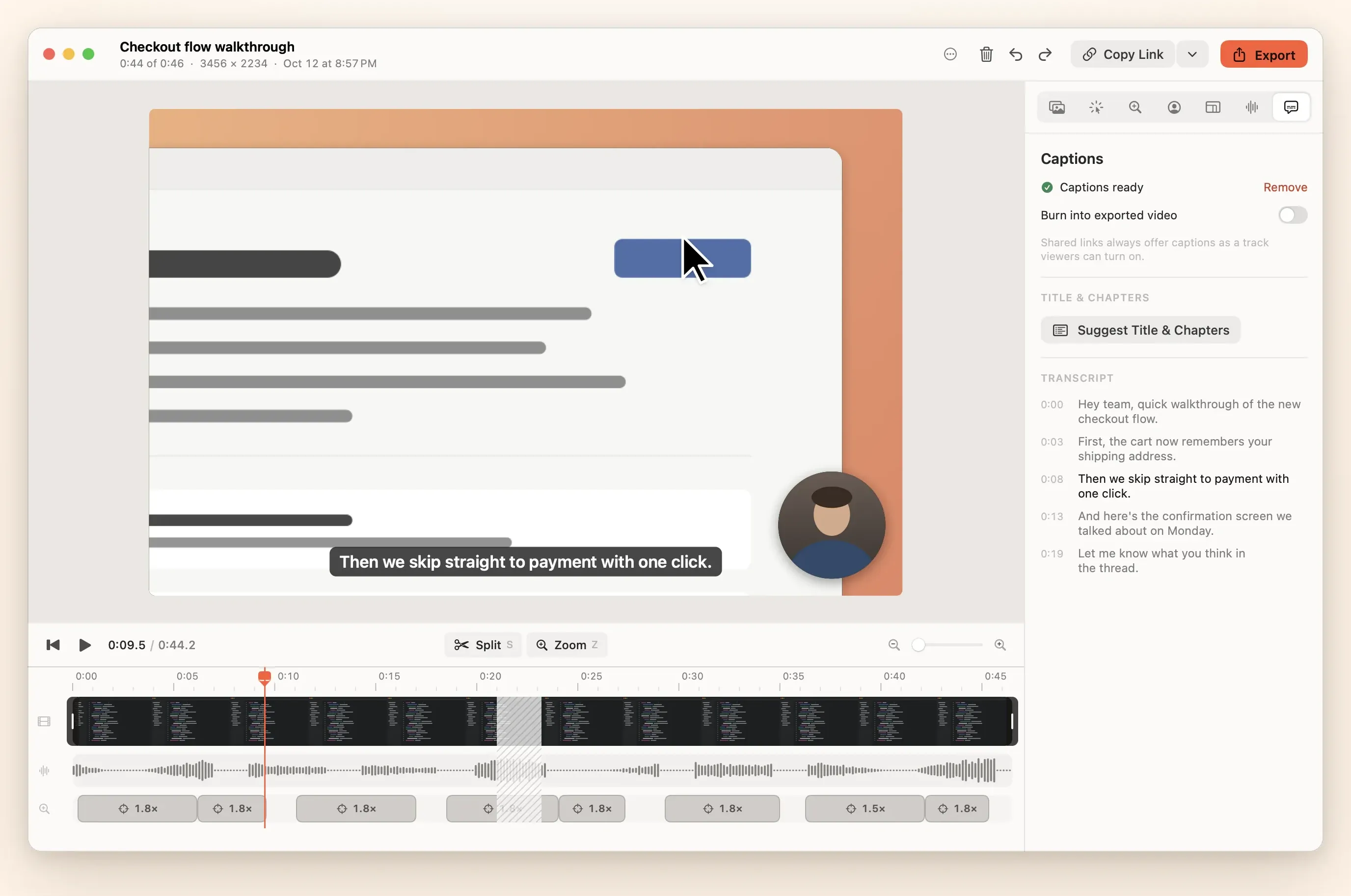
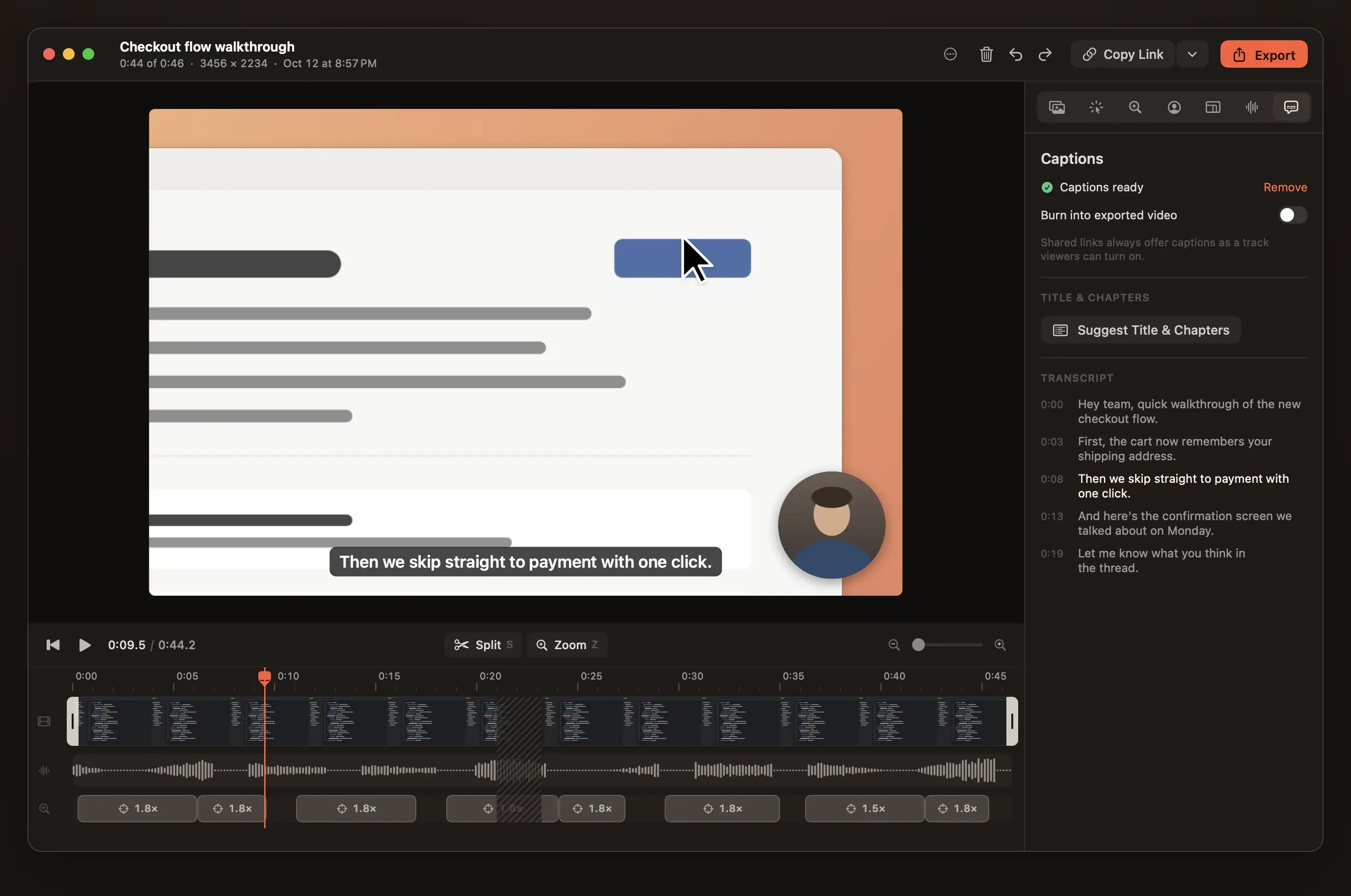
People forgive a soft picture but not bad sound. Reelbird levels your voice, takes out room noise and ducks system audio while you speak. Captions are made on your Mac. Your original tracks are never changed.
Your voice at a normal level
Reelbird measures your voice (ITU-R BS.1770 integrated loudness) and sets it to −16 LUFS, so a quiet take doesn't come out quiet. A boost slider sits on top if you want more. Every track and the final mix go through a look-ahead limiter with a −1.5 dBFS ceiling, so nothing clips.
Microphone and system audio are recorded as separate tracks, so you can mute or lower system sound after the fact.
Voice enhance
On Macs that have it, Apple's sound isolation (AUSoundIsolation) removes room noise and hum. Then a downward expander, a gentle compressor, a de-esser and a small presence lift. Pick light, medium, strong or max, and blend with the original. Hear original plays the raw track at matched loudness so you can compare.
Ducking
System audio dips about 12 dB while you speak, starting just before each phrase and coming back over 600 ms, so music and app sounds never fight your voice. Speech is found by an energy detector on your voice track, on your Mac.
Cut Long Silences
One action finds the long pauses and cuts them. Every cut shows on the timeline and can be restored with Delete.
Captions made on your Mac
Captions come from Apple's on-device speech recognition: SpeechAnalyzer on macOS 26 and later, which downloads its language model the first time, and on-device recognition on macOS 15. Both give word timings, saved next to the take.
- Burn them into the export, or offer them as a track viewers can turn on in share links.
- No API keys and no cloud. Nothing leaves your Mac unless you share it.
- From the CLI,
reelbird suggestwrites a title and chapters with Apple's on-device model on Macs with Apple Intelligence.
Record your first take in a few minutes.
Clone the repo, run make install, and look for the robin in your menu bar. Mac only, macOS 15 or later, no Xcode needed.